
My n8n Agent Saved 5 Hours a Week
I write one LinkedIn post. Claude + n8n turns it into a Twitter thread, a newsletter paragraph, and a blog draft. Here's the exact setup.
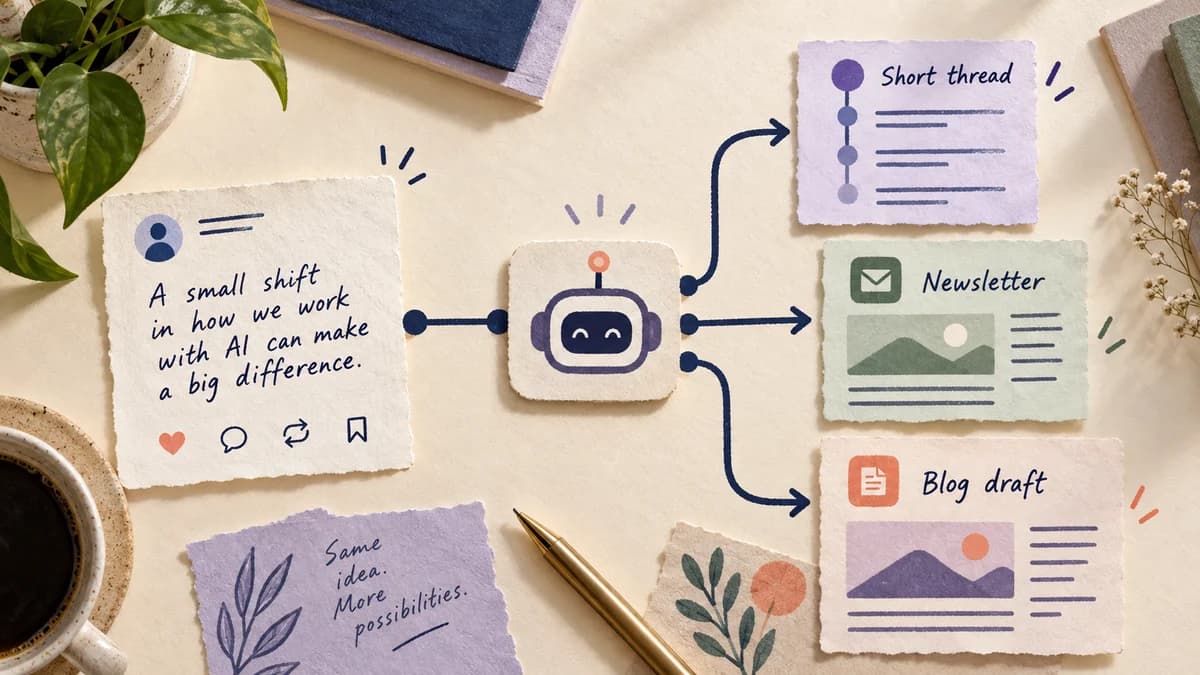
I was spending roughly 5 hours a week repurposing content. One idea, written four times for four formats.
It's the kind of work that feels productive but isn't. You're not thinking - you're rewriting. So I automated it.
The problem
My content flow looked like this:
- Write a LinkedIn post (30 min)
- Rewrite as a Twitter/X thread (45 min)
- Extract a paragraph for the newsletter (20 min)
- Expand into a blog post draft (60 min)
Every week. Same formats. Same cognitive overhead.
The solution: one post, four outputs
Now I write the LinkedIn post. I paste it into a form. n8n does the rest.
Here's the full flow.
Step 1: Trigger
A simple webhook in n8n. I have a tiny form (Notion form, or even a plain curl command) that sends the post content to the webhook URL.
Alternatively: a Gmail trigger that watches for emails from myself with subject [CONTENT]. Whatever is lowest friction for you to actually use.
Step 2: Twitter thread (Claude)
You are a content strategist. Convert this LinkedIn post into a Twitter/X thread.

Rules:
- First tweet: hook that doesn't need the rest to make sense
- 6-10 tweets max
- Each tweet under 280 characters
- Last tweet: call to action or summary
- No hashtags
- Preserve the original voice

Post: {{$json.post}}
The output is a JSON array of tweet strings. n8n parses it.
Step 3: Newsletter paragraph (Claude)
Extract the single most valuable insight from this post and rewrite it as a paragraph (3-5 sentences) for a weekly newsletter.

- Write in first person
- Conversational tone, not formal
- End with one concrete takeaway the reader can apply today

Post: {{$json.post}}
Step 4: Blog draft (Claude)
Expand this LinkedIn post into a structured blog post draft.

Structure:
- Title (SEO-friendly, not clickbait)
- Hook paragraph (why this matters)
- 3-5 H2 sections that develop the ideas in the post
- Conclusion with actionable next step

Write in markdown. The draft should be ~600 words. Don't pad with filler - if an idea doesn't have enough to say, drop it.

Post: {{$json.post}}
Step 5: Save to Notion
All four outputs go into a Notion database with properties:
Status: DraftSource post(the original LinkedIn text)Thread(the tweets)Newsletter(the paragraph)Blog draft(the markdown)
From there I review, edit, and publish manually. The drafts aren't final - they're 70% of the way there, which is exactly what I needed.
What the time looks like now
Before: ~5h/week repurposing. After: 30 min writing the post + 15 min editing outputs = 45 min total.
The 5 hours went to 45 minutes. The difference is editing vs. writing from scratch - my brain works faster when there's something to react to.
What to watch out for
Voice drift: Claude will sanitize your voice if you're not explicit. Include examples of your writing in the prompt system message if consistency matters.
Blog drafts need real editing: The structure is good, but the specificity isn't. You need to add your actual examples, numbers, and context. Don't publish the draft as-is.
Webhook security: Add a secret header to your webhook and validate it in n8n. You don't want random people triggering your automation.
The setup
- n8n (self-hosted on Railway, ~$5/month) or n8n Cloud
- Claude API (Anthropic) - a month of content repurposing costs me under $3
- Notion API for the database writes
Total cost: under $10/month. Time saved: 4h+/week. The ROI math isn't complicated.
For the architecture behind this: Building AI agents that actually work - patterns that hold up week after week.
Still fuzzy on whether this is a "workflow" or an "agent"? The real difference between a prompt, a workflow, and an agent.
Get the next post in your inbox
Practical tips for building with AI. One email per post.
Your email is used to send these updates. You can unsubscribe at any time. See our privacy policy.
Related posts
- Building AI agents that actually workMost 'agents' are brittle pipelines dressed up with AI. Here's the anatomy of a reliable agent, three patterns that hold up in production, and when to use n8n vs code.
- My Claude Code Vibe Coding SetupVibe coding isn't sloppy coding. It's a flow-state workflow where you direct and Claude executes. Here's my full setup: Claude Code, hooks, CLAUDE.md, and Plan Mode.
- My Claude Code workflow: context, planning, skills and reviewThe workflow I use with Claude Code, what I keep in project context, when I plan or delegate, and where I still review the result myself.